WCAG 2.2 target size on Shopify: where small buttons hide and who fixes them
Where small buttons hide on your Shopify store, from chat buttons to pop-up close buttons and checkout icons. And who fixes each: you, an app's maker, or Shopify.
- Written by Even Entry
- Published
- 5 minutes to read
- Topics: WCAG, Shopify, Apps
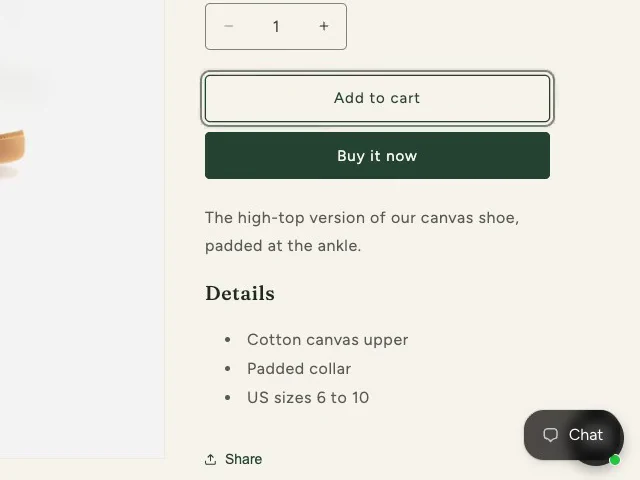
Two chat buttons in one corner
One app's chat button sits over another's, leaving only an edge to tap.
In short
WCAG 2.2 asks for buttons and links at least 24 by 24 CSS pixels, or with room around them. On a Shopify store, small ones tend to hide in three places. They’re chat buttons, close buttons on pop-ups and the little icons in checkout. You can move chat buttons yourself. A chat app’s close button is its maker’s to fix, and the checkout’s icons are Shopify’s.
What does the rule ask of your buttons?
W3C is the group that writes the web’s accessibility guidelines. Its Web Content Accessibility Guidelines (WCAG) 2.2 added a rule called 2.5.8 Target Size (Minimum). It sits at Level AA.
A target is anything a shopper clicks or taps: a button, a link, a close icon. Each one should be at least 24 by 24 CSS pixels. A CSS pixel is the unit a web page is laid out in, not the dots on a screen. In W3C’s words, “The size of the target for pointer inputs is at least 24 by 24 CSS pixels”.
The rule has five exceptions, and the one to know is room. Picture a circle 24 CSS pixels wide, centered on the small button. If that circle touches no other button and doesn’t overlap another small button’s circle, the button has room. So small is fine, as long as it has room.
Why does it matter? Small buttons packed close together are hard to hit. W3C says it plainly: “Some people with physical impairments cannot click small buttons that are close together.” W3C’s page explaining the rule lists others it helps. Among them: people tapping a phone’s touchscreen, people with hand tremors, people using one hand, and anyone on a shaky bus or train.
Why might your checks miss it?
This rule is newer than many checks. It arrived with WCAG 2.2, first published October 5, 2023. A check set up for WCAG 2.1 or earlier has no test for it.
W3C’s own working group recommends that sites aim for WCAG 2.2, even if formal obligations mention earlier versions. So ask whoever checks your store one thing. Do your checks include WCAG 2.2’s target size rule?
Where do small targets hide on a Shopify store?
Here are three kinds to look for.
- Chat buttons. Two chat apps can put their buttons in the same corner. One can sit over the other, leaving only a sliver of the lower one to tap.
- Close buttons on pop-ups. Think of a chat app’s “How can we help?” bubble, or a sign-up teaser. These close buttons can be small and sit close to other things. Then room can’t save them.
- Little icons in checkout. These are the small question marks beside fields that tell you more when you tap them.
Whose fix is each one?
Chat buttons are yours to move. Each chat app keeps its position in its own settings. For Shopify Inbox, that’s the theme editor, under App embeds. Chatty lets you pick its corner, nudge its margins and choose a button size. Other chat apps may offer the same, so look in yours.
A chat app’s close button is its maker’s. Its size is set in the app’s own code. Tell them it’s hard to tap.
Checkout icons are Shopify’s. The checkout’s code belongs to Shopify, and no store can change it. Shopify’s own report on its checkout says some of these icons have “small touch target size”. Write to Shopify at accessibility@shopify.com.
Anything in the theme itself goes to your developer, or to whoever made the theme.
What if one button covers another?
When two buttons overlap, W3C doesn’t count the covered part. So a half-hidden button only counts for the part you can still tap.
W3C does let a button off while something like a cookie banner briefly covers it. But the button on top still has to pass.
Here’s the catch. W3C’s examples all come and go: a list of suggestions, a pop-up, a cookie banner, a survey. A chat button loads with the page and stays. We can’t say for sure how W3C would count the one underneath.
The simple way out: one chat button per corner. Then there’s nothing to decide.
Why did a report fill up overnight?
When someone starts checking a rule they didn’t check before, a report can fill up in a day. Nothing on your store has to change for that to happen. Most likely, what the new check found was there all along.
So ask one question first. Did the store change, or did the checks?
What can you do this week?
- Open a product page on your phone and look at the lower corners.
- If two chat buttons share a corner, move one of them.
- Open each pop-up and try its close button with your thumb.
- Tell the app’s maker about any close button that’s hard to hit.
- If the question-mark icons in checkout are hard to tap, write to Shopify at accessibility@shopify.com.
Sources
- W3C, Web Content Accessibility Guidelines (WCAG) 2.2, W3C Recommendation December 12, 2024, 2.5.8 Target Size (Minimum), read October 18, 2026
- W3C WAI, Understanding Success Criterion 2.5.8: Target Size (Minimum), read October 18, 2026
- Shopify, Accessibility Conformance Report, WCAG edition: Shopify Checkout, March 2026, read October 18, 2026
- Shopify Help Center, Customizing and editing your checkout and accounts pages, read October 18, 2026
- Shopify, developer documentation, checkout.liquid, read October 18, 2026
- Shopify Help Center, Customize Shopify Inbox chat settings and appearance, read October 18, 2026
- Chatty Help Center, Chatbox settings, read October 18, 2026
Each source shows the day we last read it, and things can change after that. This post is general information for any store, not legal advice for yours, and it can't take the place of a lawyer.
More posts
-
Published
What accessibility overlays and widgets can't fix on your store
A widget or overlay changes your pages in each shopper's browser. Here's where that falls short, who says so, and what to do instead.
-
Published
Keyboard accessibility on Shopify: what gets in the way, and how to check
Can a shopper who uses only a keyboard buy from your Shopify store? Here's what gets in the way, who fixes it, and how to check.
-
Published
How to write an accessibility statement: what goes in, what to leave out
Here's what to put in your accessibility statement, which four words to cut unless you can prove them, and how often to update it.