Skip to content
Even Entry home

See our work on a real store

Our own store, under a made-up name. Checked as we'd check yours. We fixed two of the three problems and checked them live. The third is in an app's code, so we wrote its maker a note.

We look at your store first, then show you what we found, with pictures.

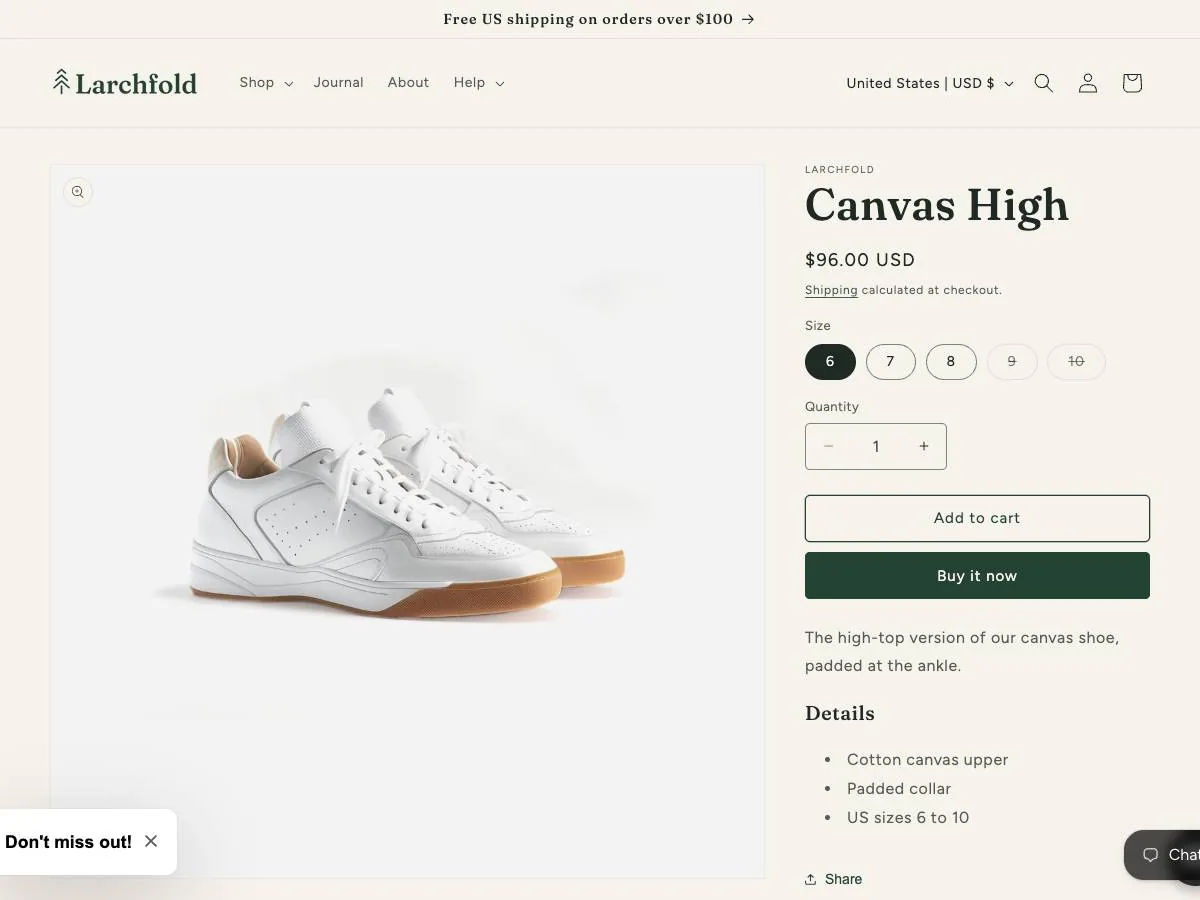
Canvas High's product page on a laptop: the shoe's large picture, then sizes 6 to 10 with 6 chosen and 9 and 10 struck through.
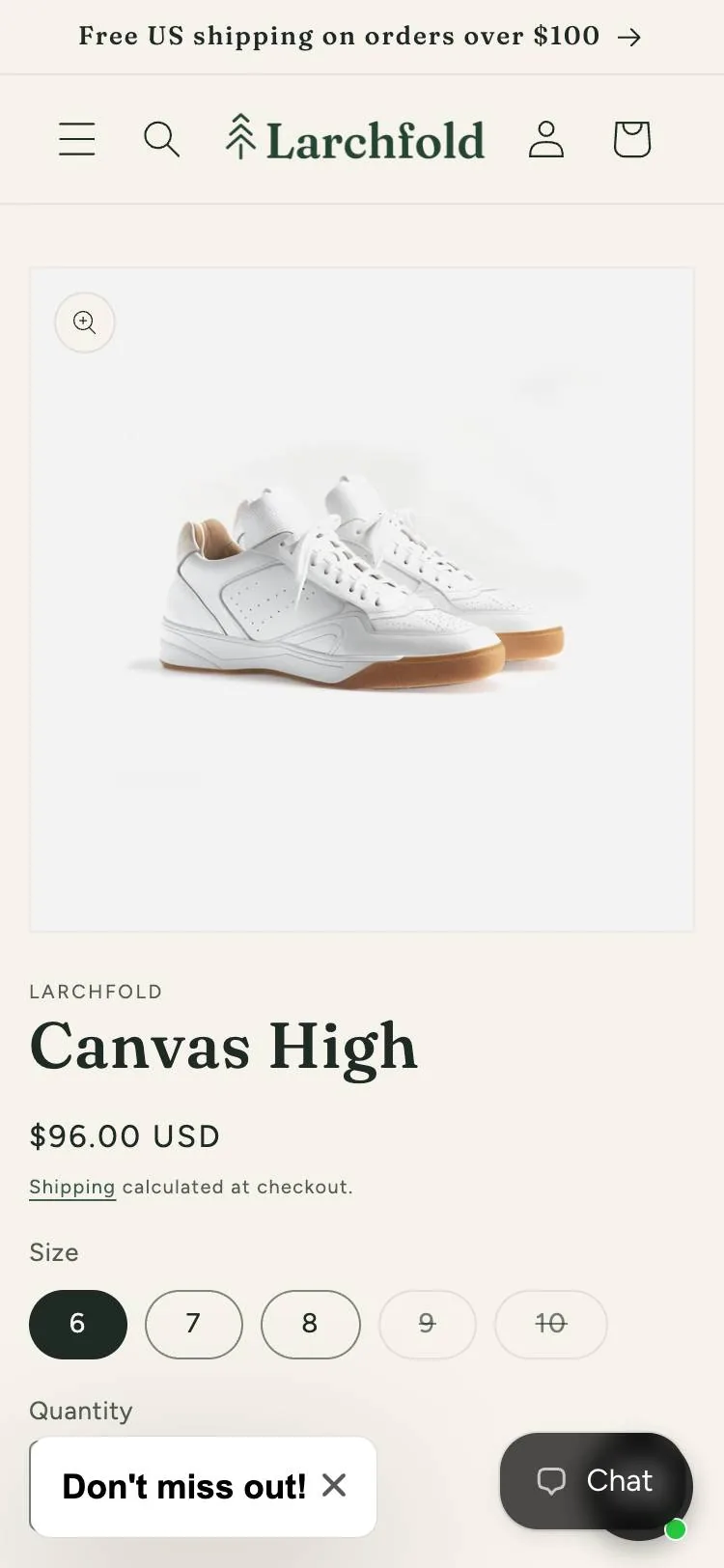
Canvas High's product page on a phone, with sizes 6 to 10 and 9 and 10 struck through. A "Don't miss out!" button and a Chat button sit at the bottom.

What changed for shoppers

  1. Before,  4.38 to 1

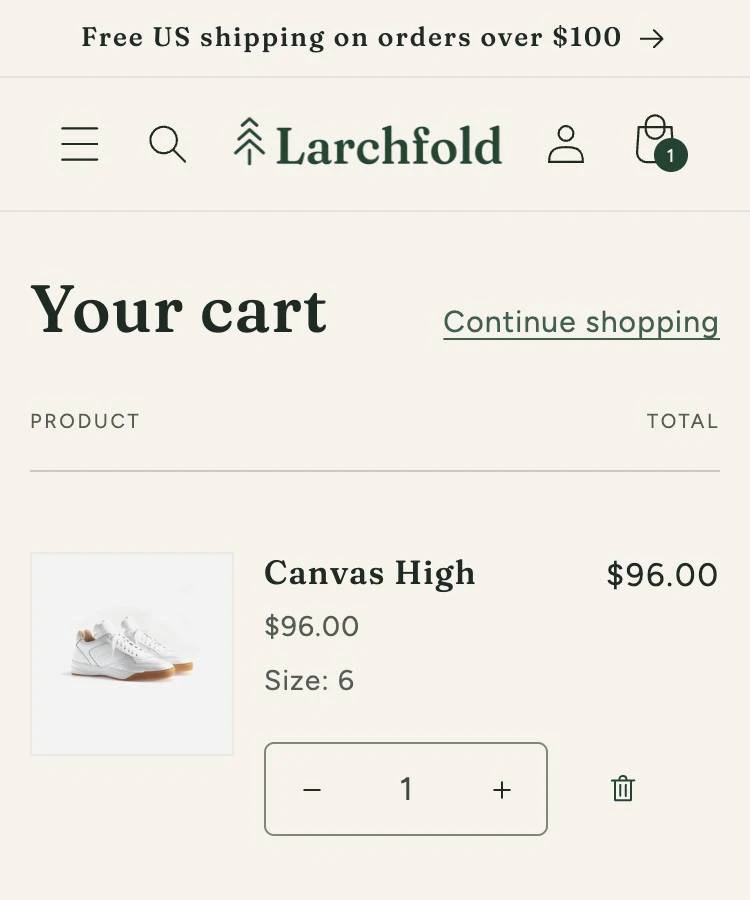
    The top of the cart page on a phone, October 10, 2026, before the fix. We've outlined the small headings Product and Total, which are pale.

    After

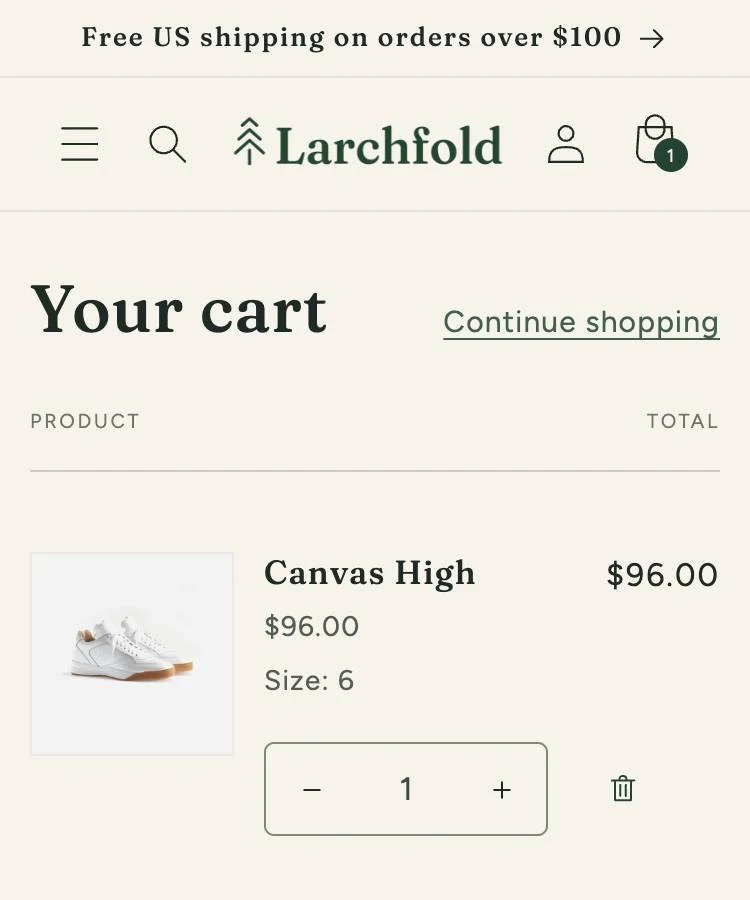
    After the fix, the headings "Product" and "Total" are darker, the same gray as the price and size under the shoe's name. There's no outline in this one.
    The cart on a phone: October 10, 2026, before the fix, and October 11, after it.

    The cart drawer and the way into checkout

    Shoppers with low vision can now read the cart's headings, in the drawer and on the cart page.

    Found
    October 9, 2026
    Whose code
    The store's theme, Dawn
    • We fixed it and checked it live on October 10, 2026.
  2. A drawing, since that theme held test products, not real ones. The strip the day we found it, September 24, 2026, then with its ring after the fix.

    A shopper using a keyboard can now scroll through every product picture on the phone-sized page.

    Found
    September 24, 2026
    Whose code
    The theme's product gallery
    • We fixed it and checked it live on September 28, 2026.
    • Our store has a new theme now. We made and checked this fix on the one before.
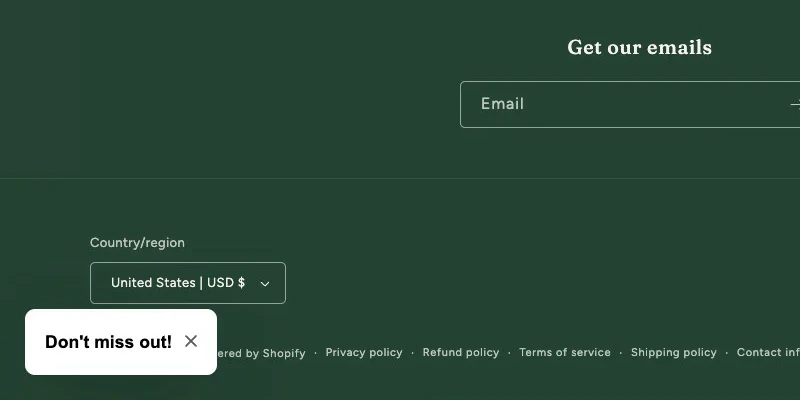
  3. A small white "Don't miss out!" button sits at the bottom left of the store's homepage on a laptop, in the dark green footer.
    Pressing Tab put the keyboard on "Don't miss out!" here, on October 16, 2026, yet the store's page showed nothing at all. No ring, no outline, no change of color. The box around the button is ours. We drew it on our copy so you can see where the keyboard is. Shoppers never see it.

    Menus and pop-ups with a keyboard

    A shopper using a keyboard can open and close the menus and the sign-up pop-up. The pop-up comes from an app, Shopify Forms. Its small button hides the ring that shows where they are, and only the app's maker can change it.

    Found
    October 10, 2026
    Whose code
    An app, Shopify Forms
    • We found it with our keyboard check and wrote a note for the app's maker.

Seven more problems, and who can fix each

These turned up on the cart, a shoe's page, and the homepage and its pop-up. On your store, we'll tell you about each one: whose code it's in, who can fix it, and whether it's done.

Larchfold, our own test store

Cart drawer and checkout

  • Chat button over Check out

    When the keyboard reaches Check out, the chat button covers its right end, but most of it stays in view.

    Whose code An app, Shopify Inbox

    It passes; we'd still tell you

  • Sold-out sizes

    Sizes 9 and 10 are struck through in pale gray on cream, 3.95 to 1 where small text needs 4.5 to 1.

    Whose code The theme, Dawn

    Fix written, not live; a person will decide if sold-out sizes count

  • Quantity field

    On every product page we checked, it has no label tied to it, so a screen reader may not say what it's for.

    Whose code The theme, Dawn

    Still found October 22; no fix written yet

  • Reviews' Sort by list

    Nothing shows when the keyboard reaches it, though the Filters button beside it shows a ring.

    Whose code An app, Judge.me

    Found October 16; the change is the app maker's

Menus and pop-ups by keyboard

  • Pop-up field labels

    First name and Email are light gray on white, hard to read.

    Whose code An app, Shopify Forms

    Still there October 22

  • Sign-up button's close button

    On every kind of page, a screen reader may miss it or describe it wrongly.

    Whose code An app, Shopify Forms

    Still there October 22

  • Privacy and Terms links

    After the store's own newsletter sign-up, the last two links Tab reaches sit just off the screen.

    Whose code Shopify's own spam protection

    A person will look before we call it a problem

A look at how our store is set up

We ran the same checks here that we'd run on your store. We only show a store's problems when its owner says yes. This store is ours, so you can see all of it.

How we check a store

The name
Larchfold, a clothing label we made up.
The look
Dawn, Shopify's free theme, live since October 8, 2026.
The products
Shopify's sample clothing, with our own product names and descriptions.
The apps
Shopify Forms, Shopify Inbox, Judge.me and Chatty, set up the way they come.
One setting we chose
The cart slides in from the side, one of Dawn's options.
What we planted
Nothing. Every problem is the theme's own or an app's.

On your store, you choose what goes live

  1. We make each fix on a copy of your theme that shoppers can't see.

  2. You look it over and say yes to each fix.

  3. Then it goes live. On the Engage plan, your developer publishes it. On the Resolve and Defend plans, we do that part.

  4. If a problem is in an app, we write a note for the app's maker. On Engage, you send it. On Resolve and Defend, we send it and follow up.

We add nothing to your store. No widget, overlay or script.

Your first fixes come within a month of signing.